AI agents vs Zapier vs RPA: which automation fits a small business?
AI agents vs Zapier vs RPA vs hiring: how each works, how each is priced and where each wins, plus a step-by-step guide to choosing for a small business.
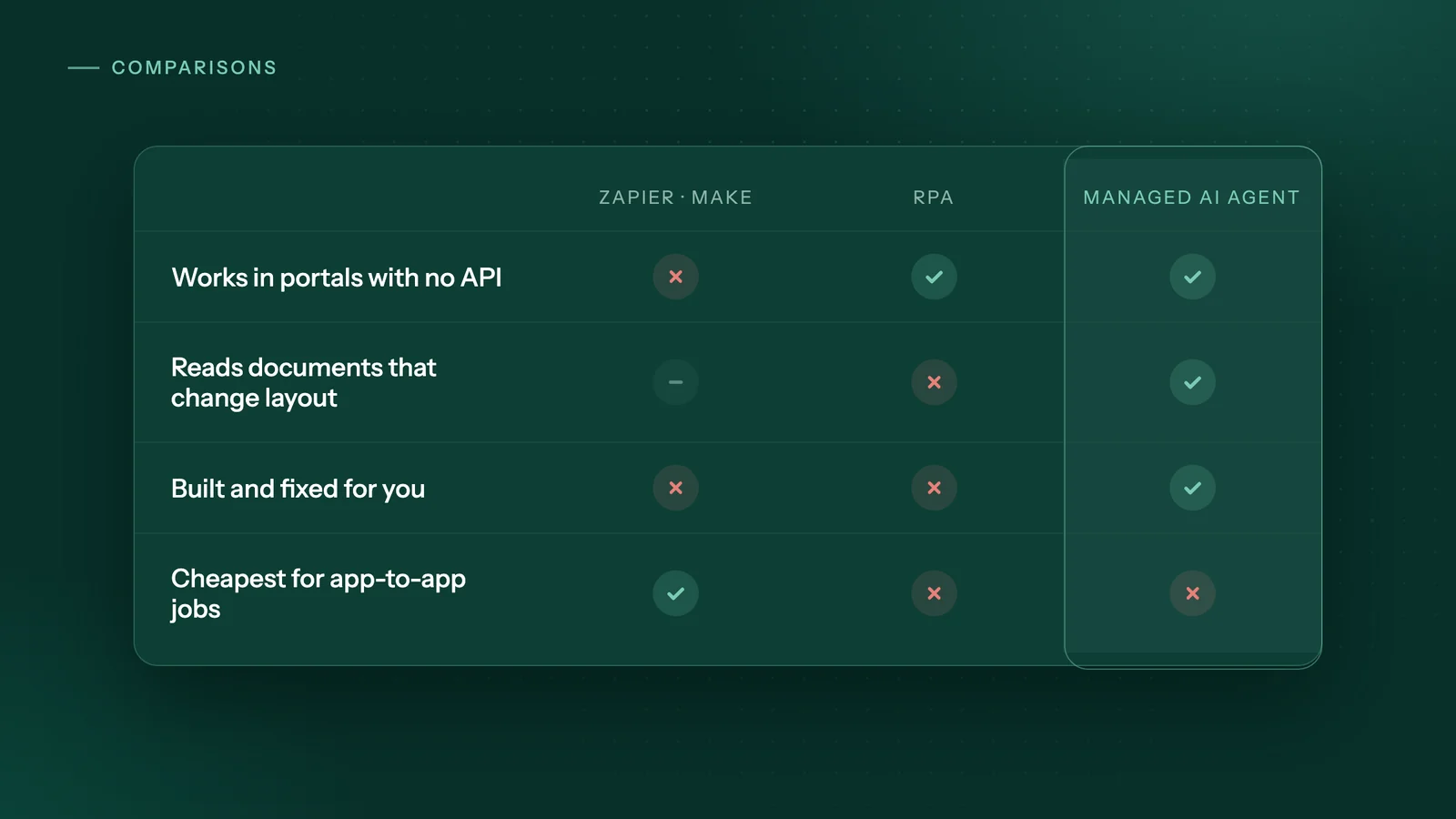
The short answer
Use Zapier or Make when every app you use has an integration: they are the cheapest and fastest. Use RPA when you have IT support and stable screens. Use an AI agent for portals without an API, documents with changing layouts, or when nobody on staff can build automations. Keep a person for decision-heavy, low-volume work.
Key takeaways
- Zapier and Make connect apps through their APIs and bill per task or credit, so they are the cheapest choice when every app in the task has a working integration.
- RPA tools such as UiPath and Power Automate desktop flows work through the screen, which suits stable, IT-managed systems but needs upkeep when screens change.
- AI agents fit work in portals with no API and documents whose layout changes, especially in businesses without technical staff.
- A person is still the right choice for decision-heavy, low-volume or irregular work.
- The options combine well: integrations for app-to-app steps, an agent for portal steps, and a person approving anything risky.
What are the four ways to handle repetitive computer work?
There are four practical options: give the work to a person, connect your apps with an integration platform such as Zapier or Make, script the screen clicks with robotic process automation (RPA), or use an AI agent. They differ mainly in whether they need an API and in who keeps them working.
- A person. Someone on staff, or a new hire, signs in, copies, checks and files. Flexible, but you pay for every hour.
- Integration platforms (Zapier, Make). Software passes data from one app's API to another's: when a form is submitted, add a row to the spreadsheet and email the customer.
- RPA software (UiPath, Microsoft Power Automate desktop flows). A bot repeats steps on screen, clicking and typing in desktop and web applications.
- AI agents. Software that signs in to websites and portals, reads pages and documents, and plans its steps. The better ones keep the routine steps fixed and use AI only where the input varies.
What is agentic automation?
Agentic automation means software that decides some of its own next steps instead of replaying a fixed recording. The line with RPA is blurring: UiPath describes RPA as the "execution layer for agentic automation", where AI agents plan and decide and robots carry out the steps.
How do Zapier and Make work, and when are they the better choice?
Zapier and Make move data between apps through each app's API. If every app in your task has a solid integration, they are usually the cheapest, fastest and most reliable option on this list.
The catch is the API. Zapier's developer documentation says an app needs a "publicly-accessible API" before anyone can build a Zapier integration for it. If a portal you depend on, such as a supplier, insurer or government website, doesn't offer an API to customers like you, there is nothing for Zapier or Make to connect to. That gap is why people search for a Zapier alternative for websites without an API.
Both bill by usage. As of October 2026, Zapier's pricing page bills in tasks: a task is used each time an action step succeeds, and triggers don't count. It lists a free plan with 100 tasks a month and paid plans starting from $19.99 a month. Zapier also sells Zapier Agents separately, billed in monthly "activities" that include web browsing.
Make's pricing uses credits instead: each module action, such as adding a Google Sheets row, counts as one credit. As of October 2026 it lists a free plan with 1,000 credits a month and paid plans from $12 a month for 10,000 credits. If credits run out, scenarios stop until you add more.
Where they win: high-volume work between well-known cloud apps, such as web form to CRM or new order to accounting. You or a freelancer can build these in a visual builder.
How is RPA different from Zapier and Make?
RPA works through the screen instead of the API. A bot clicks buttons, types into fields and reads values the way a person would, so it can automate software that has no integration at all.
UiPath describes RPA as software robots "mimicking human actions in interacting with screens and systems", useful "where systems lack APIs". With Microsoft's Power Automate desktop flows, you build a flow from drag-and-drop actions or by recording your own steps, and it can automate older applications such as terminal emulators, modern web and desktop apps, Excel files and folders, including browser automation.
The weakness is upkeep. Bots find things on screen through selectors, a stored description of where a button or field sits. Microsoft's documentation on UI elements lets you add backup selectors so that "whenever a selector fails" the next one is tried. When a website redesign moves the button anyway, someone has to fix the flow. RPA is also built for "repetitive, rule-based tasks", in UiPath's words, so it struggles where the input itself varies, such as supplier PDFs that each use a different layout.
Pricing is usually per user or per bot. As of October 2026, Microsoft lists Power Automate Premium at $15 per user a month, paid yearly, including attended desktop flows, and Power Automate Process at $150 per bot a month, paid yearly, for unattended flows. Each bot runs one unattended flow at a time. Power Automate for desktop requires Windows 10, Windows 11 or Windows Server.
Where it wins: teams with IT support, high volumes and screens that rarely change, often inside a Windows office.
What can AI agents do that Zapier and RPA can't?
An AI agent can work in a website or portal with no API and read documents whose layout changes, without someone rewriting rules each time. That makes it the strongest fit for portal-heavy back-office work in businesses with no technical staff.
A well-built agent is not pure AI. The routine steps (sign in, open the report page, download, upload) stay fixed, so they run the same way every time. AI is used where a fixed rule would break: reading an invoice, statement or remittance whose fields move around, or finding the right button after a page changes. When something doesn't match, a good agent stops and asks a person instead of guessing.
Be honest about the trade-offs:
- Speed. Work inside a website moves at that website's pace. Through an integration such as Google Sheets an agent can enter and check thousands of records in minutes, but portal runs are slower, so they are usually scheduled overnight or before staff start.
- Cost for simple jobs. If Zapier can do it in three steps, an agent is overkill.
- Risk. Software that can press "submit" needs approval steps before payments and submissions, and a log of every run.
Where the agent runs matters too, especially if client files must stay in your office. Our guide to on-device AI automation that works offline covers that choice.
How do the four options compare side by side?
No option wins every row. The table shows where each one is strong and where it costs you.
| Question | A person | Zapier or Make | RPA (UiPath, Power Automate) | AI agent |
|---|---|---|---|---|
| Works without an API? | Yes | No: each app needs an integration | Yes, through the screen | Yes, through the website or portal |
| Who builds and maintains it? | You train and supervise | You or a freelancer, in a visual builder | IT staff, an RPA developer or a trained power user | Depends on the product; managed services build and fix it for you |
| Handles changed layouts and documents? | Yes | Screen changes don't matter; it uses the data fields the API provides | Poorly: selectors and rules need updating | Yes: AI reads the page or document, and it should stop when unsure |
| Runs on your own computer? | Yes | No: runs on the vendor's servers | Yes, on Windows, or on a hosted machine | Depends on the product |
| Approvals before risky steps? | The person decides | Only if you build that step in | Only if you build that step in | Should be built in; ask before you buy |
| Pricing model | Wages, plus training and cover for absences | Per task (Zapier) or per credit (Make), with free tiers | Per user or per bot, per month | Varies: per activity, per run, or setup fee plus monthly |
| Best for | Decision-heavy, low-volume or irregular work | High-volume work between apps with integrations | Stable screens in IT-managed teams | Portals with no API, changing documents, no technical staff |
If you are weighing a new hire against automation, our breakdown of AI automation cost vs hiring works through the numbers.
Which option should a small business choose?
Start with the cheapest tool that can reach every system in the task, and move up only when it can't. Work through these steps in order:
- Start here: does every app you use have an integration? Check Zapier's and Make's app directories for each system. If all of them are listed and the integration covers the actions you need, use Zapier or Make and stop here.
- Is the task rare, tiny or irregular? If it happens a few times a year, takes minutes a week, or changes every time, leave it with a person.
- Does most of the work need decisions? If staff are negotiating, approving exceptions or checking quality on most items, keep a person and automate only the preparation, such as gathering files into one folder.
- Are the screens stable, and do you have IT support? If the systems rarely change, run on Windows, and someone can maintain bots, RPA is a proven choice.
- Does the task involve portals with no API, documents with varying layouts, or nobody to build and maintain automations? Use an AI agent, ideally one that someone else builds and fixes.
- Mixed answers? Combine them. Use Zapier or Make for steps between apps that have integrations, an agent for portal steps, and a person to approve anything risky. Combining is normal; even RPA vendors now present robots and agents as two layers of one system.
When none of these is worth it
Automation doesn't pay for tasks that are rare (quarterly or yearly), tiny (a few minutes a week) or irregular (different every time). Setup and upkeep will cost more than the time saved.
It is also too early if the process isn't settled. If three people do the task three different ways, agree on one way first, then automate it. And if the real value of the task is a phone call or a decision, automating the clicks around it saves little.
How does Adaptiwise AI handle repetitive portal work?
Adaptiwise AI builds, runs and fixes AI agents for small businesses, so you don't need technical staff. The agent works in websites and portals that have no API, the way a person does, and uses an integration such as Google Sheets when a reliable one exists, because that is faster.
Steps are fixed; AI reads pages and documents whose layout changes and plans steps, and the agent stops and asks instead of guessing. Payments, submissions, paid searches and unfamiliar screens always wait for your approval, and two-step verification pauses the run for someone on your team. Every run is logged; a failed run alerts an Adaptiwise AI operator, and the fix is proven on a replay before the workflow is trusted again. See how an Adaptiwise AI project runs.
The three ways of running let the same workflow run on your own computer with the AI model on that machine, in a hybrid setup that sends only short status updates to your portal, or on Adaptiwise AI's servers in Canada, where each business's records are held apart and the providers used are listed on the privacy page. Pricing is a setup fee plus a monthly fee, with flexible payment options, set out in a written plan with the expected saving after a free 30-minute assessment.
Frequently asked questions
Can Zapier automate a website that has no API?
Not through a normal Zapier integration. Zapier's developer documentation says an app needs a publicly accessible API before an integration can be built for it. If a portal you rely on has none, your options are to ask the vendor for an export or API access, use RPA to click through the screens, or use an AI agent that works in the website the way a person does.
Is RPA the same thing as an AI agent?
No. Classic RPA repeats steps that someone has built or recorded, finding each button and field on screen, and it fails when those change. An AI agent uses a language model to read pages and documents and to plan steps. The two are increasingly combined: UiPath, for example, describes RPA as the execution layer that carries out the work AI agents plan.
Can I run Power Automate desktop flows on a Mac?
Not directly. Microsoft lists Windows 10, Windows 11 and Windows Server as the supported systems for Power Automate for desktop, and devices with ARM processors are not supported. A Mac-only office would need a separate Windows PC or Microsoft's hosted option, which is sold as its own per-bot plan that includes a Microsoft-hosted virtual machine.
Which option is cheapest for a small business?
For simple jobs between apps that already have integrations, Zapier or Make is usually cheapest, because both have free tiers and low-cost entry plans billed by usage. RPA subscriptions and managed AI agents cost more and only pay off when they replace a meaningful number of staff hours each week. For rare or irregular tasks, a person doing the work by hand is often the cheapest option.
Do AI agents need someone watching every run?
They should not, but they do need guardrails. Look for fixed steps for the routine work, approval before payments or submissions, a log of every run, and alerts when something fails. An agent that guesses its way past an unfamiliar screen instead of stopping to ask is a risk to your business, not a saving.
Sources
- Zapier pricingZapier. Accessed October 8, 2026.
- How Zapier worksZapier Developer Platform documentation. Accessed October 8, 2026.
- Make pricingMake. Accessed October 8, 2026.
- Power Automate pricingMicrosoft. Accessed October 8, 2026.
- Introduction to desktop flowsMicrosoft Learn. Accessed October 8, 2026.
- Automate using UI elementsMicrosoft Learn. Accessed October 8, 2026.
- Prerequisites and limitations for Power Automate for desktopMicrosoft Learn. Accessed October 8, 2026.
- What is robotic process automation (RPA)?UiPath. Accessed October 8, 2026.
Third-party prices and product details change. Figures were checked on October 8, 2026. This guide is general information, not legal, tax or financial advice.
Keep reading
All guides →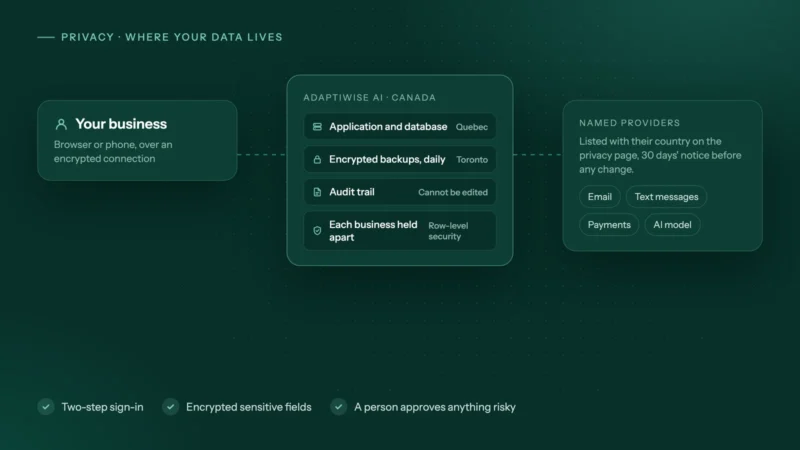 Privacy
Can AI automation run offline? A guide to private, on-device AI agents
Yes, if the AI model and agent run on your own computer. See where cloud AI sends data, what works offline, the trade-offs, and how to check a workflow.
 Costs
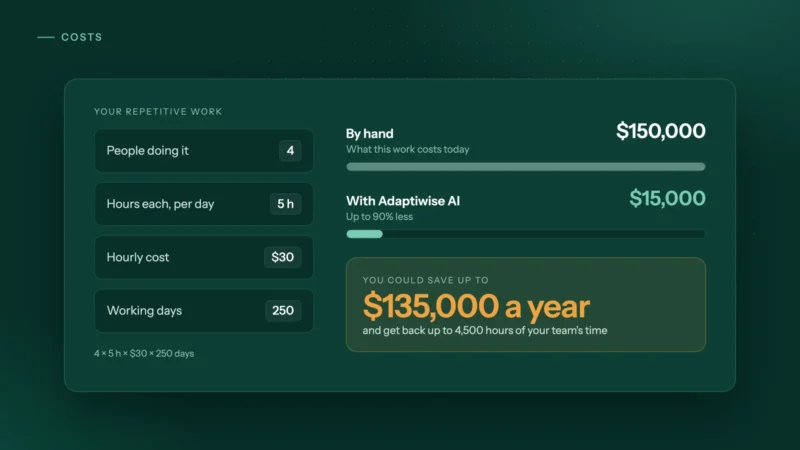
CostsAI automation vs hiring an admin: what does each really cost?
An admin costs far more than the wage. Compare hiring with AI automation using real BLS and Job Bank wage data, a simple formula and a 15-minute estimate.
 Trucking & logistics
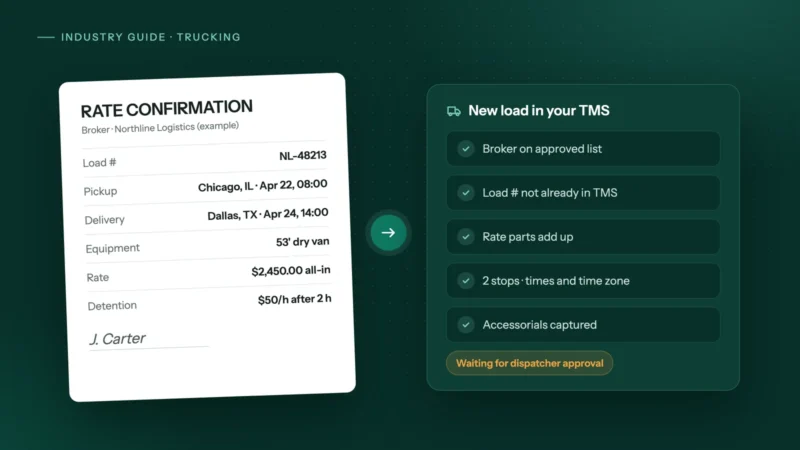
How to automate rate confirmations into your TMS
Stop retyping broker rate cons into your TMS: fields to extract, checks to run, where people stay in the loop, and how to invoice the day it delivers.